Manage Clock IPs
Managing Clock IPs allows the manager/admin to restrict where employees can clock in and clock out by entering an IP address.
-
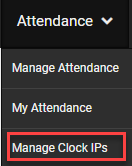
To add an IP address Go to Attendance>Manage Clock IPs
-
Click Add IP Adress in the top right corner

-
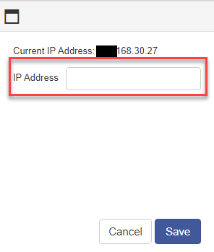
Type in the IP Address employees are allowed to use.
-
Click Save
-
To delete an IP address click the X

Copyright © 2021 Program Works